Set a clear goal before you start
Tell students what you want them to finish before the countdown ends. That might be two questions, a short paragraph, or a quick discussion with a partner. A timer is much more useful when the class knows what the time is for.
If you need to stop and explain something, pause the countdown and continue when everyone is ready. The timer should help organise the lesson, not rush it.
Controls and settings
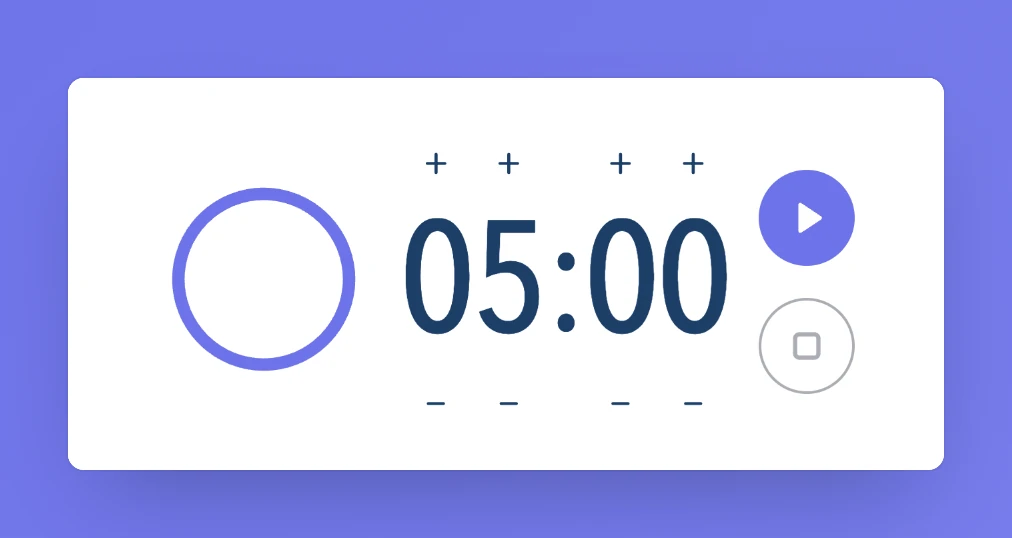
Use the + and − buttons above and below the digits to set minutes and seconds. Play starts the countdown and changes to Pause while it is running. Reset returns to the duration you originally set. The circular ring gives a quick visual sense of progress. The bell button turns the alert on or off, and the main control stops the alarm if it is sounding.
Set it up in Sabura
- Open Timer and set the minutes and seconds.
- Turn the alert on or off, then press Play.
- Pause when needed, or use Reset to return to the original duration.
A three-minute review
Put two short review questions in Notes and set the timer for three minutes. Ask students to answer both and mark anything they are unsure about. When time is up, start with the points that caused the most uncertainty before moving into the new lesson.
Teaching tip
Tell students what to do when the alarm sounds, such as putting pens down and getting ready to discuss. A familiar routine makes the transition smoother.