A lesson can lose its momentum in tiny pieces. A student asks what page to open. Another wants to know how long the task will last. Two tables are ready to move on, while the rest are still discussing the last question. None of these moments is dramatic, but together they eat into teaching time.
A better classroom routine does not depend on being louder. It makes the next action obvious. When students can see what to do, how to work and what comes next, the teacher has fewer instructions to repeat.
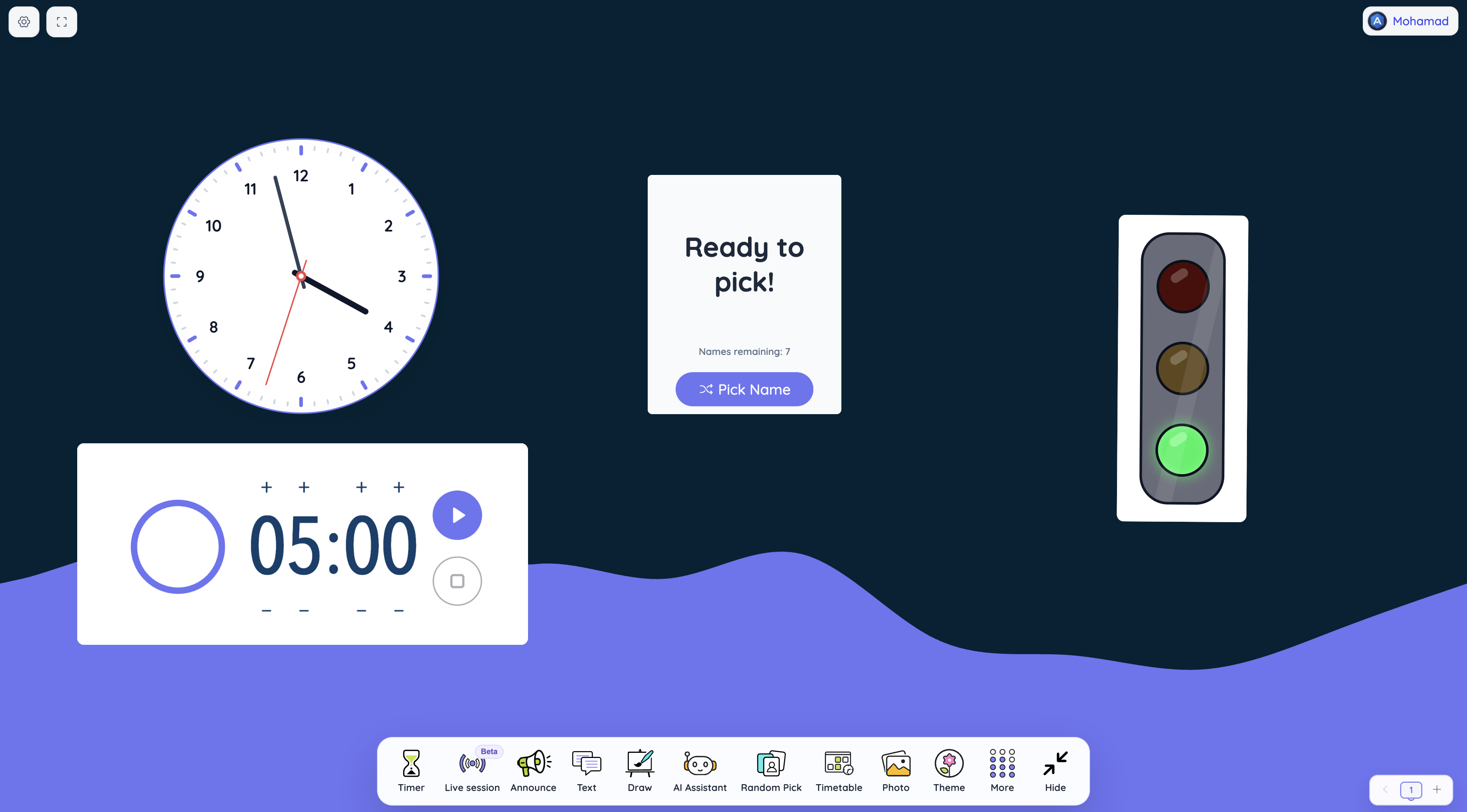
The routines below are designed for ordinary, busy classrooms—not perfect ones. Some use pen and paper, and others work particularly well with a visible classroom dashboard such as Sabura, which keeps a timer, instructions, visual signals and participation tools on one screen.
1. Give students something to do before the lesson begins
The first two minutes often determine how the room settles. If students enter to an empty board, they must wait for the teacher to explain the opening task. That waiting time is an invitation for conversation.
Prepare a short, independent do-now activity before students arrive. For a history lesson, try: “Look at the two photographs. Write one change you notice and one question you have.” Put the instructions in Notes and a two-minute Timer beside them.
A useful entry task should be accessible without a mini-lesson. When the timer ends, invite two observations and move into the day's objective. The routine works because students know exactly how to start, not because they have been told to be quiet.
2. Write directions students can check without asking again
A long verbal explanation rarely stays intact in every student's memory. The fourth step is forgotten while the teacher is still describing the fifth, especially during practical activities.
Instead, make the instructions visible and action-based. For example, during a science investigation:
- Collect one tray per table.
- Predict what will happen before touching the materials.
- Test the prediction and record one result.
- Return the tray, then compare findings.
Place the checklist on the screen using Notes. Point to it when students ask a question that has already been answered, but make space for genuine confusion. Visible directions reduce repetition; they should never be an excuse to withhold help.
3. Match the voice level to the learning task
“Be quiet” is too vague to guide an active classroom. Quiet for individual reading is different from quiet for paired problem-solving. Students need to know which kind of talk is welcome.
Agree on a few recognizable working modes: silent focus, whisper, ask a partner, and work together. Sabura's Work Symbols can display the current mode so students do not need another verbal reminder when the activity changes.
For example, in an English lesson, students might spend four minutes reading a poem silently, three minutes discussing an image with a partner, and five minutes comparing interpretations in groups. The expected voice level changes each time. That is productive classroom talk, not a failure of management.
4. Rehearse transitions when nobody is in a rush
Transitions become noisy when students are uncertain whether they should finish, tidy up or listen. The solution is to teach a transition as carefully as you teach a classroom procedure.
Use a three-part visual cue with the Traffic Light tool: green means continue; amber means finish the current step; red means stop and look up. Add a short message to each colour so the instruction does not depend on colour alone.
Practise once with a low-stakes activity. When the class learns to respond to the cue calmly, use it for moving from pair talk to whole-class discussion or from practical work to a demonstration. A signal is most effective when it announces an agreed action rather than judging students as “good” or “bad.”
5. Put the finish line beside the countdown
A visible timer is useful, but a timer without a clear outcome can create a frantic race. Students need both a sensible amount of time and a definition of “done.”
Instead of showing “6:00” on its own, display: “In six minutes, solve two questions and underline the step you are least sure about.” The Timer keeps the boundary visible; Notes explains the purpose.
This also gives you a better way to respond when time runs out. If most students have identified the difficult step but have not finished the second question, that tells you something about the task. Pause or adjust the time rather than treating the clock as an inflexible rule.
6. Make participation predictable, not intimidating
Whole-class questions can accidentally reward the quickest hands. Students who need an extra moment may withdraw, even when they have useful ideas.
Build a predictable thinking sequence: ask the question, allow quiet writing time, invite a brief partner check, and then choose someone to share. Sabura's Random Name Picker can help vary whose voice is heard—but only after everyone has had a fair chance to prepare.
For a maths question about equivalent fractions, ask students to defend one choice in a sentence before inviting an answer. You can use a quick Vote to see the range of responses, then discuss why different answers were chosen. Avoid using random selection to catch students out. The aim is broad participation, not surprise.
7. Give group work a structure before moving the desks
Group work gets noisy fast when students must negotiate teams, roles and expectations at the same time. Resolve those details first.
Use a Group Splitter when random teams make sense. Display the task, the time limit and a short set of roles: facilitator, recorder, materials manager and reporter. A Year 6 geography task might ask each team to recommend a site for a new community garden using three pieces of evidence from a map.
During the activity, a Sound Level monitor can give the class general feedback about volume. It reacts to sound intensity but does not record conversations. Treat the display as a prompt for self-regulation, not a penalty system; high sound can reflect excitement or a sudden noise rather than misbehaviour.
8. Finish with a reset and one piece of useful feedback
The last minutes of a lesson often disappear into packing away, collecting books and reminding students about homework. A consistent closing routine helps the class leave with a sense of completion.
Try a three-step finish: reset the room, answer an exit question and preview the next lesson. Display the steps on the screen and give a short timer for the reset. An exit question might be: “What is one thing you can now explain, and what still needs practice?”
A Scoreboard can add energy to occasional revision games, but it should not become a public ranking of behaviour. Specific teacher feedback—“Your table shared materials without needing a reminder”—is often more meaningful than another point.
A 40-minute routine you can borrow tomorrow
You do not need eight tools open at once. Try this lean sequence:
- 0–4 minutes: Do-now question in Notes with a short Timer.
- 4–12 minutes: Teacher input, with the working mode visible.
- 12–26 minutes: Independent or group practice with a clear finish line.
- 26–35 minutes: A traffic-light transition, then structured sharing.
- 35–40 minutes: Exit question, materials reset and next-step preview.
Keep only the items students actually need in view. If the board is crowded, it becomes another thing to ignore.
Common questions
What classroom management strategy should I try first?
Can visual classroom routines work with older students?
Will a digital dashboard solve behaviour problems?
Make the next instruction easier to see
Good classroom management is often less about stopping problems and more about designing out unnecessary uncertainty. Start with the routine that costs your class the most time, teach it explicitly and make it visible. Then build from there.
For a closer look at the tools mentioned here, see Sabura's classroom tools guide or follow the getting-started walkthrough. Keep the board simple enough that a student can glance up and know what to do next.
Set up a starter task and put a timer beside it before your students arrive.
Open the Sabura dashboard